
Data & Analytics
Power BI Automation
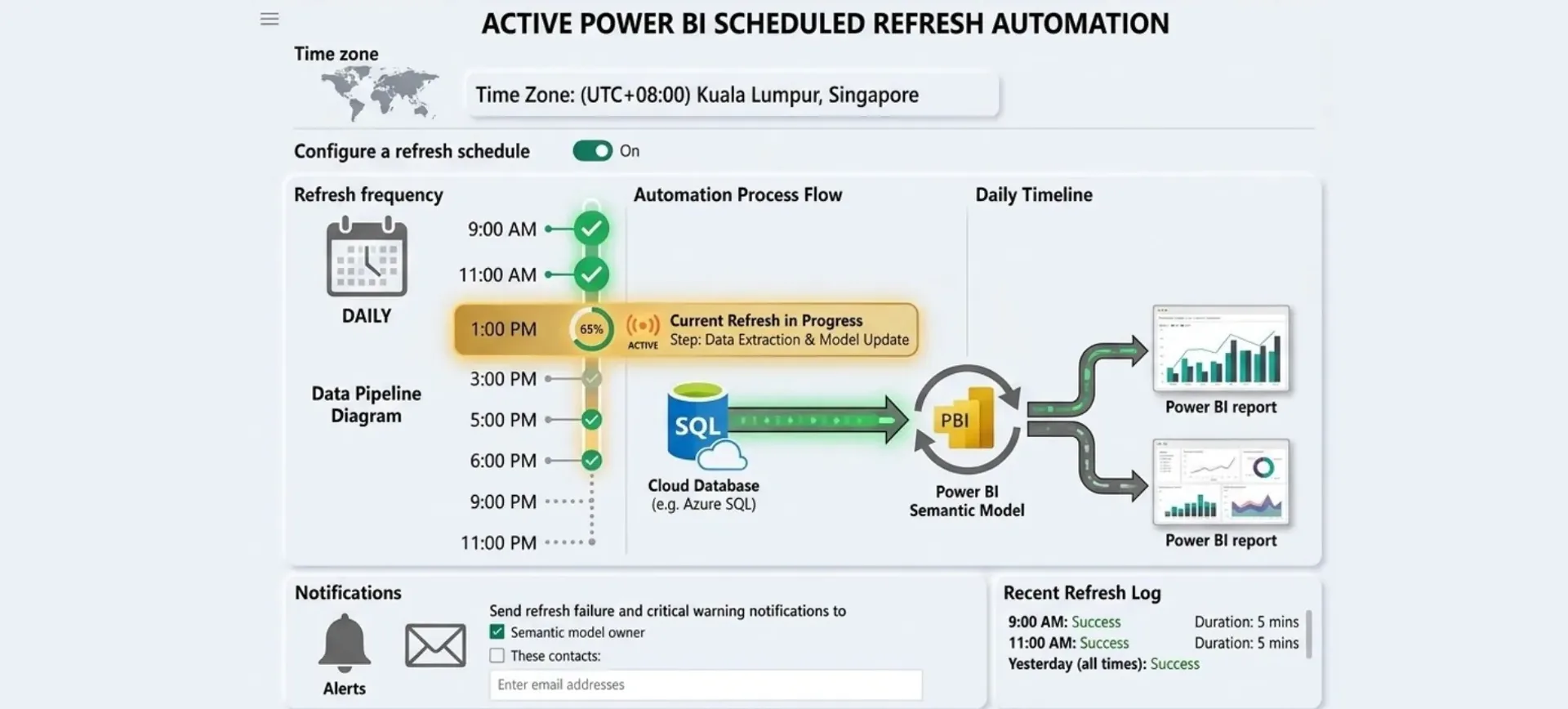
Tiered automated refresh schedules across Power BI datasets, using Microsoft Fabric and incremental refresh to keep reports current inside a Pro licence's eight-refresh-a-day limit.
Year
2025
Role
Power BI Developer
Client
Lifewood Data Technology
Stack
Power BI Pro, Microsoft Fabric, Power Query, DAX
Configuration inside Lifewood's Power BI tenant, no public demo.
01
The problem
Lifewood's Power BI datasets were refreshing inconsistently or not at all, so reports served outdated data to stakeholders. With a Pro subscription capped at eight daily refreshes per dataset, manual refresh requests were ad-hoc and unreliable. The team needed a strategy that maximised data freshness within the licensing constraint, without adding infrastructure complexity.
02
What I built
A tiered refresh architecture that respects the eight-refresh-per-day limit while keeping the critical data fresh. Microsoft Fabric handles dataset performance and enables incremental refreshes, which cuts processing time. Schedules are then allocated by how much the data actually moves: critical operational data refreshes eight times daily across business hours, analytical datasets two to three times daily, and historical datasets once daily off-peak.
How I approached the refresh problem
Incremental refresh patterns
Power Query imports only new or changed rows, which cuts refresh duration sharply and allows more frequent updates inside the same time window.
Dataset partitioning strategy
Splitting large datasets into focused semantic models enables parallel refreshes and better performance isolation.
Microsoft Fabric optimisation
Fabric's enhanced capacity and query folding get the most out of every refresh window.
The whole thing runs on Power BI's native scheduling combined with Power Query optimisation and Fabric's underlying compute. No custom orchestration, nothing extra to maintain.
03
What I learned
Constraints force creativity: the eight-refresh limit pushed me toward incremental loads and query optimisation rather than brute-force full refreshes. I also learned that refresh cadence is a business decision, not just a technical one: operational dashboards need hourly updates, historical analysis does not. If I revisited it, I'd add dynamic scheduling based on how often each source actually changes, and automated compression of older partitions to keep the semantic models lean.