
AI Tools
SummaPDF
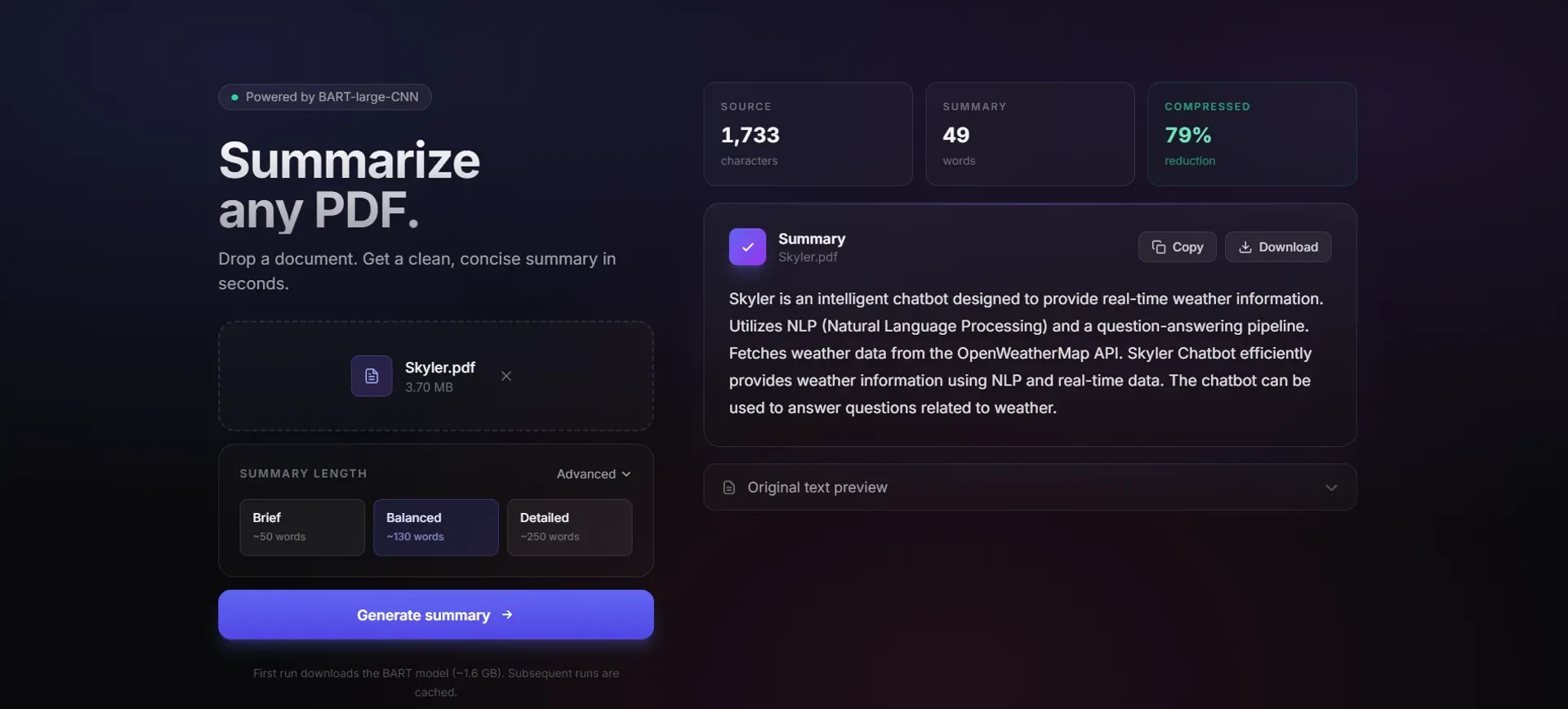
A local-first tool that turns long PDFs into short summaries, running entirely on your own machine with no accounts and no uploads.
Year
2025
Role
Full-stack Developer
Client
Personal project
Stack
FastAPI, HTMX, Jinja2, Tailwind CSS, pypdf, Hugging Face Transformers, PyTorch
01
The problem
I kept opening long PDFs just to find one or two useful paragraphs. Most online summarisers ask for an account or want full access to your file, which felt like too much for a quick task. I wanted something I could run on my own laptop, point at any PDF, and get a clean summary back.
02
What I built
A small web app that does one thing well. Drop in a PDF, pick a length (Brief, Balanced or Detailed) and get a summary card with stats, plus copy and download buttons. FastAPI handles the upload, pypdf pulls out the text, and a Hugging Face model writes the summary. HTMX swaps the result into the page, so there's no reload and no blank screen while you wait.
What made it feel considered
HTMX for AI UX
Streaming results without page reloads feels snappier than traditional form submissions, and no React was needed.
Local-first design
Everything runs on your machine: no servers, no accounts, no privacy concerns.
Progressive refinement
Started in Streamlit to validate the idea, then rebuilt in FastAPI once I knew it worked, turning a prototype into a polished tool.
I first built it in Streamlit because it was fastest. Once I knew the idea worked, I rebuilt it in FastAPI so it could feel like a real app instead of a dashboard.
03
What I learned
Two things stuck with me. First, HTMX is great for AI tools: most of the flow is "send something, wait, show the result", and you don't need a full React setup for that. Second, the model was the easy part. The tricky bits were small ones: chunking text without cutting sentences in odd places, handling scanned PDFs that have no real text, and tuning the lengths so "Brief" actually feels brief. The boring work is what makes tools feel polished.